
Derzeit nicht verfügbar
Handgeprüfte Gebrauchtware
Bis zu 50 % günstiger als neu
Der Umwelt zuliebe
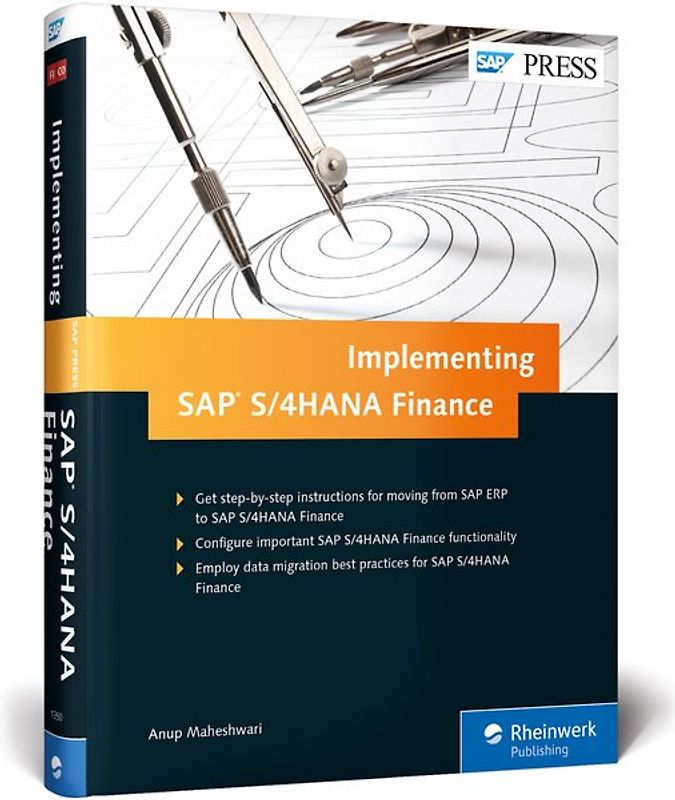
Implementing SAP S/4HANA Finance
Anup Maheshwari (Gebundene Ausgabe, Englisch)
Keine Bewertungen vorhanden
Optischer Zustand
Beschreibung
You know what SAP S/4HANA Finance (formerly SAP Simple Finance) is—now learn how to get it. First migrate your data from SAP ERP Financials to SAP S/4HANA Finance, and then customize its key functionality: General Ledger, Asset Accounting, Controlling, and Cash Management. Consult step-by-step instructions, menu paths, transaction codes, and key documents at each stage to get the details you need Dieses Produkt haben wir gerade leider nicht auf Lager.
Handgeprüfte Gebrauchtware
Bis zu 50 % günstiger als neu
Der Umwelt zuliebe
Technische Daten
Erscheinungsdatum
28.10.2016
Sprache
Englisch
EAN
9781493213504
Herausgeber
Rheinwerk Publishing
Serien- oder Bandtitel
SAP PRESS Englisch
Sonderedition
Nein
Autor
Anup Maheshwari
Seitenanzahl
535
Auflage
1
Einbandart
Gebundene Ausgabe
Schlagwörter
SAP Simple Finance, SAP S4HANA Finance, 1511, 1605, TechEd16 Bestsellers, Asset Accounting, Cash Management, Integrated Business Planning for finance, SAP S/4 HANA Finance, FICO Top Seller
Inhaltsverzeichnis
... Preface ... 19
... About This Book ... 19
... Structure of This Book ... 21
... Acknowledgments ... 24
... Introduction ... 27
... Evolution of the Chief Financial Officer ... 28
... Benefits of SAP S/4HANA Finance ... 29
... Functional Changes with SAP S/4HANA Finance ... 32
... System Architecture with SAP S/4HANA Finance ... 34
... Migration to SAP S/4HANA Finance ... 36
... Summary ... 48
I ... Migrating to SAP S/4HANA Finance ... 49
1 ... Preparation ... 51
1.1 ... Check Functional Scope and Restrictions ... 51
1.2 ... Feasibility Checklist ... 53
1.3 ... The Maintenance Planner and Prechecks ... 60
1.4 ... Check Custom Coding ... 60
1.5 ... Check Sizing ... 62
1.6 ... Precheck for Migration to New Asset Accounting ... 63
1.7 ... Activate Business Functions ... 65
1.8 ... Check and Activate New Depreciation Calculation ... 69
1.9 ... Consistency Checks ... 73
1.10 ... Perform Period-End Closing Activities ... 83
1.11 ... Consistency Check before Activation of SAP S/4HANA Finance ... 91
1.12 ... Execute Business Reconciliation ... 93
1.13 ... Summary ... 103
2 ... Installation and Upgrade ... 105
2.1 ... Installation and Upgrade Checklist ... 106
2.2 ... Use the Maintenance Planner ... 115
2.3 ... Install the Related Software Component Version ... 116
2.4 ... Apply SAP Notes ... 118
2.5 ... Content Deployment with SAP HANA Application Lifecycle Management ... 120
2.6 ... Perform HANA-tization ... 120
2.7 ... Optimization ... 122
2.8 ... Summary ... 125
3 ... Customizing for the SAP General Ledger ... 127
3.1 ... Activate SAP Reference Implementation Guide for SAP ERP Financials ... 128
3.2 ... Check and Adopt Fiscal Year Variants ... 129
3.3 ... Migrate General Ledger Customizing ... 130
3.4 ... Define Settings for the Journal Entry Ledger ... 131
3.5 ... Define Ledger Groups ... 133
3.6 ... Assign the Accounting Principle to the Ledger Group ... 135
3.7 ... Define the Ledger for the Controlling Version ... 136
3.8 ... Define Document Types for Postings in Controlling ... 137
3.9 ... Define Document Type Mapping Variants for Controlling Business Transactions ... 138
3.10 ... Check and Define Default Values for Postings in Controlling ... 138
3.11 ... Define the Offsetting Account Determination Type ... 140
3.12 ... Define the Source Ledger for Migration of Balances ... 140
3.13 ... Execute Consistency Check of General Ledger Settings ... 141
3.14 ... Activate Business Functions ... 141
3.15 ... Summary ... 142
4 ... Customizing for the New Asset Accounting ... 143
4.1 ... Prerequisites ... 145
4.2 ... Install SAP S/4HANA Finance with New Asset Accounting ... 145
4.3 ... Migrate Charts of Depreciation ... 146
4.4 ... Customization Prior to Activation ... 147
4.5 ... Check Prerequisites for Activating New Asset Accounting ... 153
4.6 ... Determine Active Charts of Depreciation ... 154
4.7 ... Change Definitions of Depreciation Areas ... 155
4.8 ... Specify Transfer of Acquisition and Production Cost Values ... 157
4.9 ... Specify Transfer of Depreciation Terms ... 158
4.10 ... Activate New Asset Accounting ... 160
4.11 ... Adjust Parameters in Charts of Depreciation ... 161
4.12 ... Display Migration Log ... 162
4.13 ... Summary ... 162
5 ... Customizing for Controlling ... 165
5.1 ... Execute SAP Business Warehouse Delta Extraction for Account-Based Profitability Analysis ... 166
5.2 ... Adapt Settings for Profitability Segment Characteristics ... 166
5.3 ... Maintain the Operating Concern ... 167
5.4 ... Maintain the Operating Concern for the Banking Add-On ... 168
5.5 ... Activate Account-Based Profitability Analysis ... 169
5.6 ... Transport Operating Concern ... 169
5.7 ... Summary ... 170
6 ... Customizing for Migration of House Bank Accounts ... 171
6.1 ... Define Number Ranges for Bank Account Technical IDs ... 172
6.2 ... Define Number Ranges for Change Requests ... 172
6.3 ... Define Settings for Bank Account Master Data ... 173
6.4 ... Summary ... 179
7 ... Data Migration ... 181
7.1 ... Partitioning of the Universal Journal Entry Line Items Table ... 182
7.2 ... Regenerating Core Data Services Views and Field Mapping ... 183
7.3 ... Migration of Cost Elements ... 185
7.4 ... Technical Check of Transaction Data ... 198
7.5 ... Enrichment of Data ... 207
7.6 ... Migration of Line Items into New Data Structure ... 211
7.7 ... Migration of Balances ... 219
7.8 ... Calculation of Depreciation and Totals Values ... 226
7.9 ... Migration of House Bank Accounts ... 232
7.10 ... Completing the Migration ... 233
7.11 ... Migration with Near Zero Downtime ... 235
7.12 ... Summary ... 239
8 ... Post-Migration Activities ... 241
8.1 ... Run Reconciliation Reports to Check Data Consistency ... 242
8.2 ... Validate Business Process to Ensure Successful Migration ... 242
8.3 ... Transfer Application Indexes ... 243
8.4 ... Display Status of Application Indexes Transfer ... 244
8.5 ... Fill Due Dates in SAP ERP Financials Documents ... 244
8.6 ... Display Status of Due Dates into SAP ERP Financials Documents ... 245
8.7 ... Fill the Offsetting Account in SAP ERP Financials Documents ... 246
8.8 ... Display Status of Offsetting Account in SAP ERP Financials Documents ... 247
8.9 ... Summary ... 248
9 ... Post-Migration Testing ... 249
9.1 ... Test SAP HANA-Optimized Report Transactions ... 250
9.2 ... Test Multidimensional Reporting Capability ... 250
9.3 ... Test Database Footprint Reduction ... 251
9.4 ... Test Intercompany Reconciliation ... 252
9.5 ... Test the New Process Redesign ... 252
9.6 ... Test Closing Improvement ... 253
9.7 ... Test the Universal Journal ... 253
9.8 ... Execute Change Management ... 254
9.9 ... Summary ... 255
II ... New Functionality in SAP S/4HANA Finance ... 257
10 ... SAP Cash Management ... 259
10.1 ... Validate Prerequisites ... 261
10.2 ... Setup Bank Account Master Data ... 262
10.3 ... Define the Payment Approval Process ... 266
10.4 ... Enable SAP Business Workflow for Bank Account Management ... 274
10.5 ... Create Cash Pools for Cash Concentration ... 285
10.6 ... Manage Cash Operations ... 289
10.7 ... Load Data to One Exposure from Operations ... 308
10.8 ... Set Up Cash Management Transaction Data ... 310
10.9 ... Set Up SAP Liquidity Management ... 318
10.10 ... Set Up Liquidity Planning ... 327
10.11 ... Summary ... 332
11 ... SAP BPC for S/4HANA Finance ... 333
11.1 ... Planning Overview and Activation ... 334
11.2 ... Architecture ... 338
11.3 ... Authorizations ... 341
11.4 ... Activate Embedded SAP Business Warehouse ... 345
11.5 ... Activate the SAP BusinessObjects Business Intelligence Content Bundle ... 358
11.6 ... Test the SAP Business Warehouse Installation ... 365
11.7 ... Activate Services and Test Planning Applications ... 368
11.8 ... Planning Modeler ... 373
11.9 ... SAP BusinessObjects Analysis for Microsoft Office ... 375
11.10 ... Summary ... 381
12 ... SAP Fiori Applications ... 379
12.1 ... SAP Fiori Project Phases ... 380
12.2 ... Architecture ... 381
12.3 ... Configure SAP Fiori ... 383
12.4 ... Install SAP Fiori Apps ... 386
12.5 ... SAP Fiori Launchpad ... 387
12.6 ... SAP Fiori Application and Roles ... 394
12.7 ... SAP Smart Business Application and Roles ... 409
12.8 ... Summary ... 414
III ... Impact of SAP S/4HANA Finance ... 415
13 ... Impact on SAP General Ledger Accounting and Related Areas ... 417
13.1 ... Architectural Impact ... 417
13.2 ... Functionality Impact ... 424
13.3 ... Configuration Impact ... 426
13.4 ... Customer and Vendor Master Data ... 434
13.5 ... Credit Management Impact ... 435
13.6 ... SAP HANA Views in SAP S/4HANA Finance ... 436
13.7 ... Summary ... 437
14 ... Impact on New Asset Accounting ... 439
14.1 ... Architectural Impact ... 439
14.2 ... Functionality Impact ... 440
14.3 ... Configuration Impact ... 447
14.4 ... Closing Process Impact ... 450
14.5 ... SAP HANA Views in SAP S/4HANA Finance ... 451
14.6 ... Summary ... 451
15 ... Impact on Controlling ... 453
15.1 ... Functionality Impact ... 453
15.2 ... Configuration Impact ... 461
15.3 ... Summary ... 469
16 ... Impact on Cost Center Accounting and Profit Center Accounting ... 471
16.1 ... Architectural Impact ... 471
16.2 ... Functionality Impact ... 473
16.3 ... SAP HANA Views in SAP S/4HANA Finance ... 476
16.4 ... Web Dynpro Reports ... 476
16.5 ... Summary ... 477
17 ... Impact on Profitability Analysis ... 479
17.1 ... Architectural Impact ... 480
17.2 ... Functionality Impact ... 481
17.3 ... Configuration Impact ... 482
17.4 ... Summary ... 484
18 ... Impact on Period-End Closing ... 485
18.1 ... Architectural Impact ... 485
18.2 ... Functionality Impact ... 486
18.3 ... Security Impact ... 488
18.4 ... SAP HANA Views ... 489
18.5 ... Summary ... 490
19 ... Impact on SAP Cash Management and Bank Account Management ... 491
19.1 ... Introduction of SAP Business Client ... 491
19.2 ... Functionality Impact ... 493
19.3 ... Security Impact ... 495
19.4 ... Configuration Impact ... 496
19.5 ... Summary ... 497
... Appendices ... 499
A ... Project Plan for Migrating to SAP S/4HANA Finance ... 499
B ... The Author ... 525
... Index ... 527
Höhe
229 mm
Breite
17.5 cm
-.-
Leider noch keine Bewertungen
Leider noch keine Bewertungen
Sicher bei rebuy kaufen

Schreib die erste Bewertung für dieses Produkt!
Wenn du eine Bewertung für dieses Produkt schreibst, hilfst du allen Kund:innen, die noch überlegen, ob sie das Produkt kaufen wollen. Vielen Dank, dass du mitmachst!
Sicher bei rebuy kaufen