
Derzeit nicht verfügbar
Handgeprüfte Gebrauchtware
Bis zu 50 % günstiger als neu
Der Umwelt zuliebe
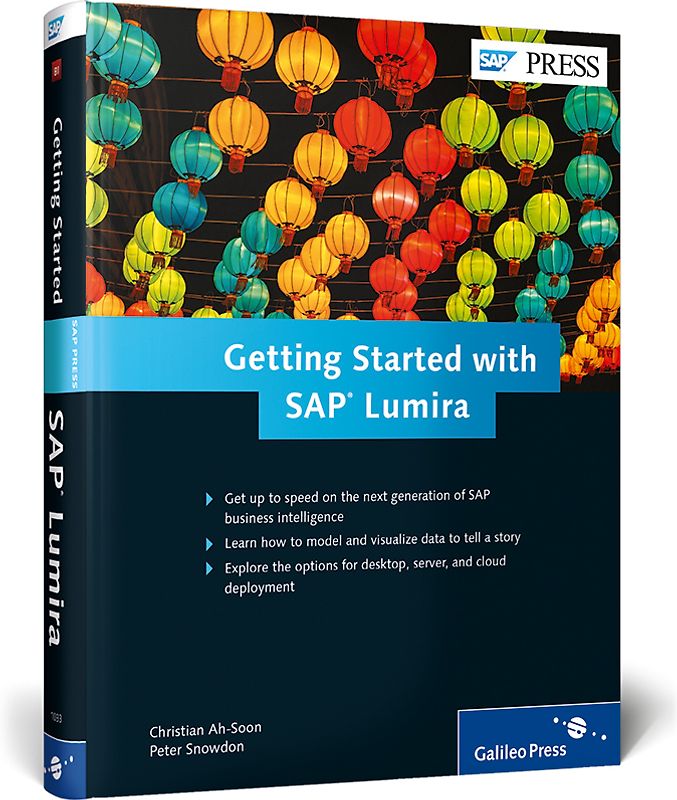
Getting Started with SAP Lumira
Christian Ah-Soon (Gebundene Ausgabe, Englisch)
Keine Bewertungen vorhanden
Optischer Zustand
Beschreibung
What story does your data tell? Take a look at SAP Lumira, SAP’s newest data visualization tool. Whether you’re a new user or a seasoned BI expert, learn what SAP Lumira can do to identify trends and find hidden insights in business data. From data acquisitions to data manipulation to data visualization, get the details on the steps to take to add some color to your data. From an administrative Dieses Produkt haben wir gerade leider nicht auf Lager.
Handgeprüfte Gebrauchtware
Bis zu 50 % günstiger als neu
Der Umwelt zuliebe
Technische Daten
Erscheinungsdatum
23.01.2015
Sprache
Englisch
EAN
9781493210336
Herausgeber
Rheinwerk Publishing
Serien- oder Bandtitel
SAP PRESS Englisch
Sonderedition
Nein
Autor
Christian Ah-Soon
Seitenanzahl
540
Auflage
1
Einbandart
Gebundene Ausgabe
Schlagwörter
BO, SAP Visual Intelligence, BOBJ, BI EIM Top Seller, lumira SDK, data visualization, business objects, sap design studio, 1033
Inhaltsverzeichnis
Acknowledgments. 15
Preface. 17
1 Introduction to the SAP Lumira Suite. 21
1.1 Changing Requirements and SAP Lumira. 22
1.2 Self-Service Business Intelligence with SAP Lumira. 24
1.3 SAP Lumira Cloud and SAP Lumira Server. 30
1.4 Interoperability with Other SAP Systems. 32
1.5 Summary. 33
2 Installation and Configuration of SAP Lumira Desktop. 35
2.1 License Model. 36
2.2 Downloading SAP Lumira Desktop. 39
2.3 Installing SAP Lumira Desktop. 41
2.4 Uninstallating SAP Lumira Desktop. 47
2.5 SAP Lumira Registration. 51
2.6 Updating SAP Lumira Desktop. 54
2.7 User Interface Presentation. 59
2.8 SAP Lumira File Format. 65
2.9 Setting Preferences. 69
2.10 Supportability. 71
2.11 Summary. 77
3 Data Acquisition. 79
3.1 Data Acquisition Overview. 79
3.2 Text Files. 86
3.3 Windows Clipboard Copy. 89
3.4 Microsoft Excel. 91
3.5 Query with SQL. 95
3.6 SAP HANA. 110
3.7 SAP BusinessObjects BI Universes. 121
3.8 SAP BusinessObjects BW. 134
3.9 Dataset Edit and Refresh. 142
3.10 Summary. 147
4 Data Manipulation. 149
4.1 The Prepare Room. 150
4.2 Objects in SAP Lumira. 156
4.3 Hierarchies in SAP Lumira. 161
4.4 Calculated Objects. 174
4.5 Object Actions. 188
4.6 Data Actions. 191
4.7 Filtering and Sorting Data. 201
4.8 Multiple Datasets. 206
4.9 Configuring Auto-Enrichment. 212
4.10 Summary. 216
5 Data Visualization. 217
5.1 Visualize Room Overview. 218
5.2 Building Charts in SAP Lumira. 220
5.3 Charts Types in SAP Lumira. 227
5.4 Measures in Charts. 257
5.5 Chart Customization. 269
5.6 Filters in Charts. 271
5.7 Hierarchies and Navigation in Charts. 272
5.8 Chart Preferences. 273
5.9 Visualization Gallery. 275
5.10 Related Visualizations. 278
5.11 Summary. 283
6 Story Composition in SAP Lumira. 285
6.1 Compose Room Overview. 285
6.2 Story Anatomy. 287
6.3 Creating a Story. 288
6.4 Compose Room Organization. 290
6.5 Interactive Boards. 291
6.6 Infographics. 301
6.7 Reports. 311
6.8 Customizing Entities. 315
6.9 Summary. 337
7 Sharing in SAP Lumira. 339
7.1 Share Room Overview. 340
7.2 Printing Visualizations. 343
7.3 Sending Visualizations by Email. 345
7.4 Publishing a Dataset or a Story to SAP Lumira Cloud. 346
7.5 Republishing and Scheduling with SAP Lumira Agent. 351
7.6 Saving a Document to SAP Lumira Cloud. 360
7.7 Publishing a Dataset or a Story to SAP Lumira Server. 363
7.8 Publishing Datasets to the File System. 366
7.9 Publishing a Dataset to SAP HANA. 368
7.10 Publishing a Dataset to SAP Explorer. 371
7.11 Publishing Datasets and Visualizations to SAP StreamWork. 374
7.12 Publishing Datasets and Stories to SAP BusinessObjects BI. 377
7.13 Summary. 382
8 SAP Lumira Cloud. 383
8.1 SAP Lumira Cloud Access. 384
8.2 Connecting from SAP Lumira Desktop. 390
8.3 SAP Lumira Cloud User Interface. 392
8.4 Importing to SAP Lumira Cloud. 402
8.5 Visualization and Composition Online. 409
8.6 Sharing Resources in SAP Lumira Cloud. 414
8.7 Creating a Team. 420
8.8 Mobile Access. 426
8.9 Summary. 433
9 SAP Lumira Server. 435
9.1 Downloading SAP Lumira Server. 436
9.2 Using SAP HANA for SAP Lumira Server. 438
9.3 SAP Lumira Server User Interface. 445
9.4 Importing to SAP Lumira Server. 452
9.5 Visualization and Composition Online. 454
9.6 Sharing Resources in SAP Lumira Server. 457
9.7 Summary. 462
10 Integrating SAP Lumira with SAP BusinessObjects BI 4.1. 463
10.1 SAP BusinessObjects BI 4.1 Add-On Overview. 464
10.2 Installing and Configuring SAP BusinessObjects BI 4.1 Add-On in SAP Lumira. 465
10.3 Importing SAP Lumira Resources into SAP BusinessObjects BI 4.1. 479
10.4 Viewing SAP Lumira Content in SAP BusinessObjects BI Launch Pad. 480
10.5 Central Management Console. 482
10.6 Universe Refresh and Scheduling. 486
10.7 Summary. 488
11 SAP Lumira Software Development Kits. 489
11.1 The VizExtensions Software Development Kit. 490
11.2 The Data Source Software Development Kit. 513
11.3 Summary. 526
12 Conclusion. 527
The Authors. 529
Index. 531
Höhe
229 mm
Breite
17.5 cm
-.-
Leider noch keine Bewertungen
Leider noch keine Bewertungen
Sicher bei rebuy kaufen

Schreib die erste Bewertung für dieses Produkt!
Wenn du eine Bewertung für dieses Produkt schreibst, hilfst du allen Kund:innen, die noch überlegen, ob sie das Produkt kaufen wollen. Vielen Dank, dass du mitmachst!
Sicher bei rebuy kaufen